 BioManager
Your databases
Samples, orders, reagents, antibodies, viruses
Samples, orders, reagents, antibodies, viruses, primers and cell lines.
One engine, eight starting points, each with its own columns and statuses:
| Samples | Tissue and material, linked to the animal it came from, stored at RT, 4 °C, −20 °C, −80 °C or LN₂ in a freezer box position, with what was measured as numbers: Conc. and its unit, 260/280, 260/230, Volume (µL). Available, in use, used up, discarded. |
|---|---|
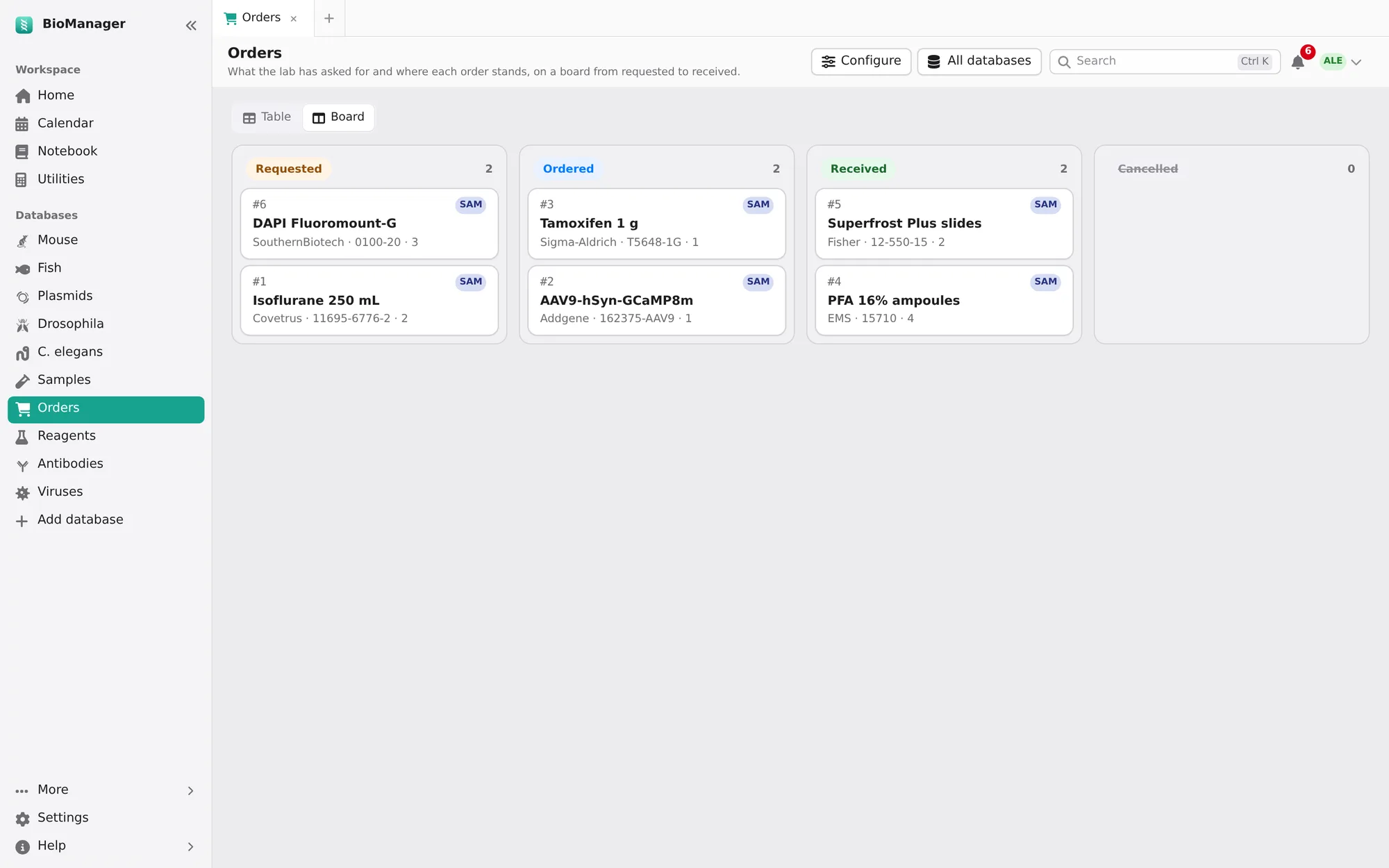
| Orders | What the lab has asked for: vendor, catalogue number, quantity, price, grant account. Requested, ordered, received, cancelled — on a table or a Board you drag cards across. |
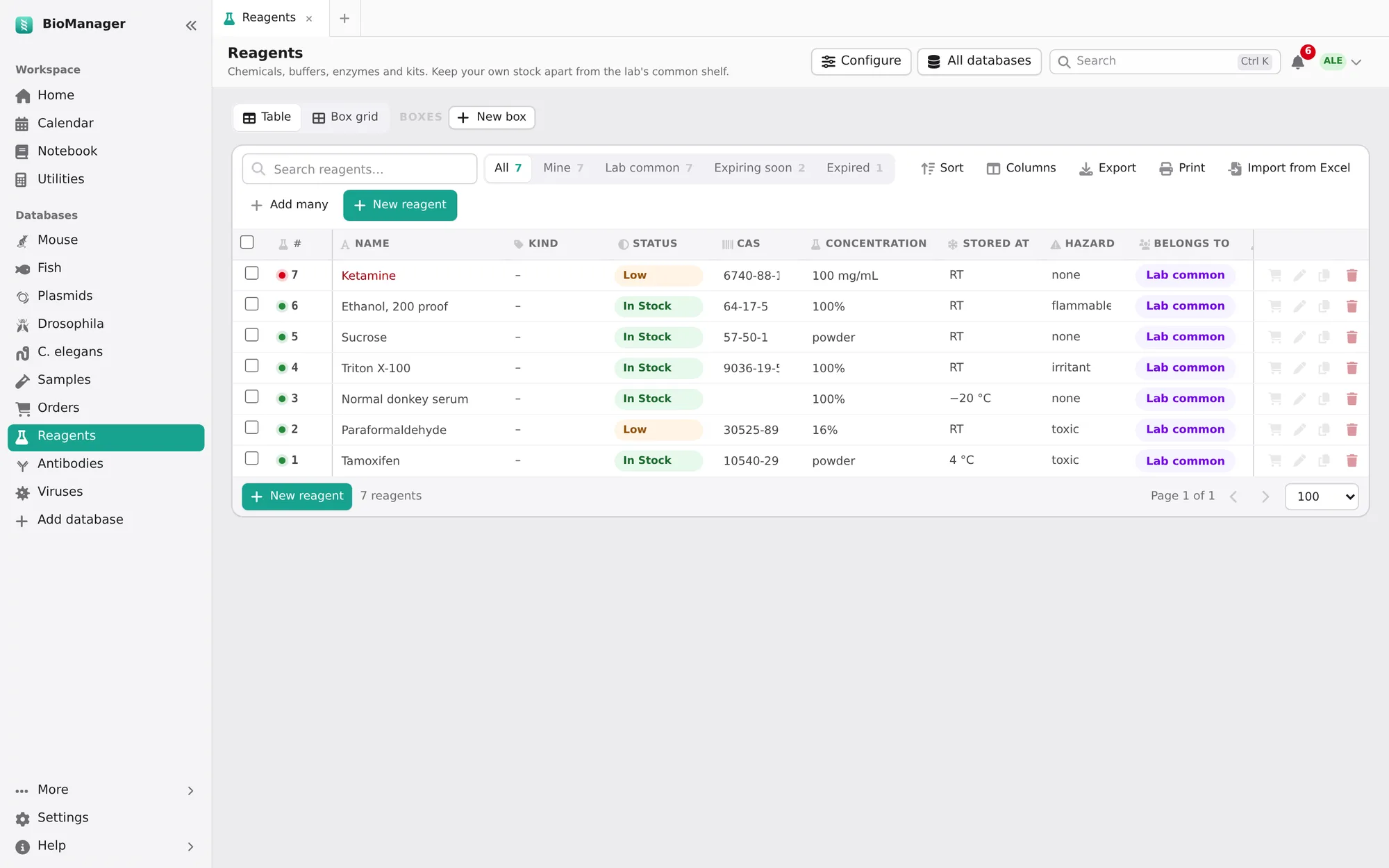
| Reagents | Quantity, concentration, CAS number, storage temperature, hazard, lot and expiry. In stock, low, empty, discarded. |
| Antibodies | Host, clonality, clone, conjugate, reactivity, applications, dilution, isotype, RRID, and where each vial is. |
| Viruses | AAV, lentivirus, rabies and other vectors: serotype, the plasmid it was made from (Made from), promoter, payload, titer, biosafety level, the date made, and each aliquot's place in a −80 °C box. In stock, low, used up, discarded. |
| Primers & oligos | Sequence (5′→3′), direction, target, its pair, stock µM and modification. Length, GC % and Tm are worked out from the sequence (nearest neighbour, 50 mM Na⁺, 250 nM). Add primer pair makes name-F and name-R at once, each naming the other, side by side in a box. Ordered, in stock, low, used up, discarded. |
| Cell lines | A frozen vial of each line or clone: species, parent, passage, freeze date, cells per vial, medium, selection, mycoplasma result and date, and its place in the LN₂ boxes. In stock, thawed, used up, discarded. |
| Custom list | Whatever you define. |
Ordering, start to shelf
- New order. Item, vendor, catalogue number and quantity are required (starred), so no order goes out half-filled. Type an item or catalogue number the lab has used before and pick it: the vendor, price and grant fill in from last time. The lab's admins are told of each new request.
- Follow it. The status chips — Requested, Ordered, Received, Cancelled — show each stage in one tap; the person who requested it is notified as it moves.
- It arrives. Mark it received and BioManager asks Add it to stock?: a new reagent, antibody or virus with its name, vendor, catalogue number, lot, quantity and expiry already filled in, opened for you to add where it's kept. (Later, the To stock button on the order does the same.) From then on the order shows Reagents #8 and the reagent shows the order it came from; each opens the other.
- Running low? On any reagent, antibody or virus, the cart button, Order again, opens a new order with its details and the quantity, price and grant of the last time it was ordered. While it is already on order the button says On order, and the new order opens with a note naming the open one and who asked for it.
Every inventory
- Mine and Lab common keep your own stock apart from the lab's shared shelf.
- Expiring soon (30 days) and Expired chips; expired and low stock also show on Home.
- Box grid places items in freezer boxes; the same boxes as everywhere else. A box's Stored at (−80 °C, LN₂…) goes to what is put in it, and moving the box moves theirs. In a box with no position given, an item takes the next free one. Marking a tube used up, empty or discarded frees its position; its location note keeps where it was. New box has How many, for a whole tower at once.
- Used in notebook pages, at the bottom of a record's dialog, lists the pages that link it
(
@antibodies 5; see Notebook). - Configure (its creator, or an admin): the name, what it tracks, the choices and statuses (renaming one relabels its items), your own columns, and which fields are needed for a new item.
- A plasmid column (the Viruses' Made from, or one you add in Configure as A plasmid): type the plasmid's number or name, or pick it from the list, and the cell opens that plasmid. The plasmid's Storage tab lists everything made from it, under Made from this plasmid.
Was this page helpful?
No