BioManager
Get started
Home
The page that opens each morning: what needs doing today, in three layouts.
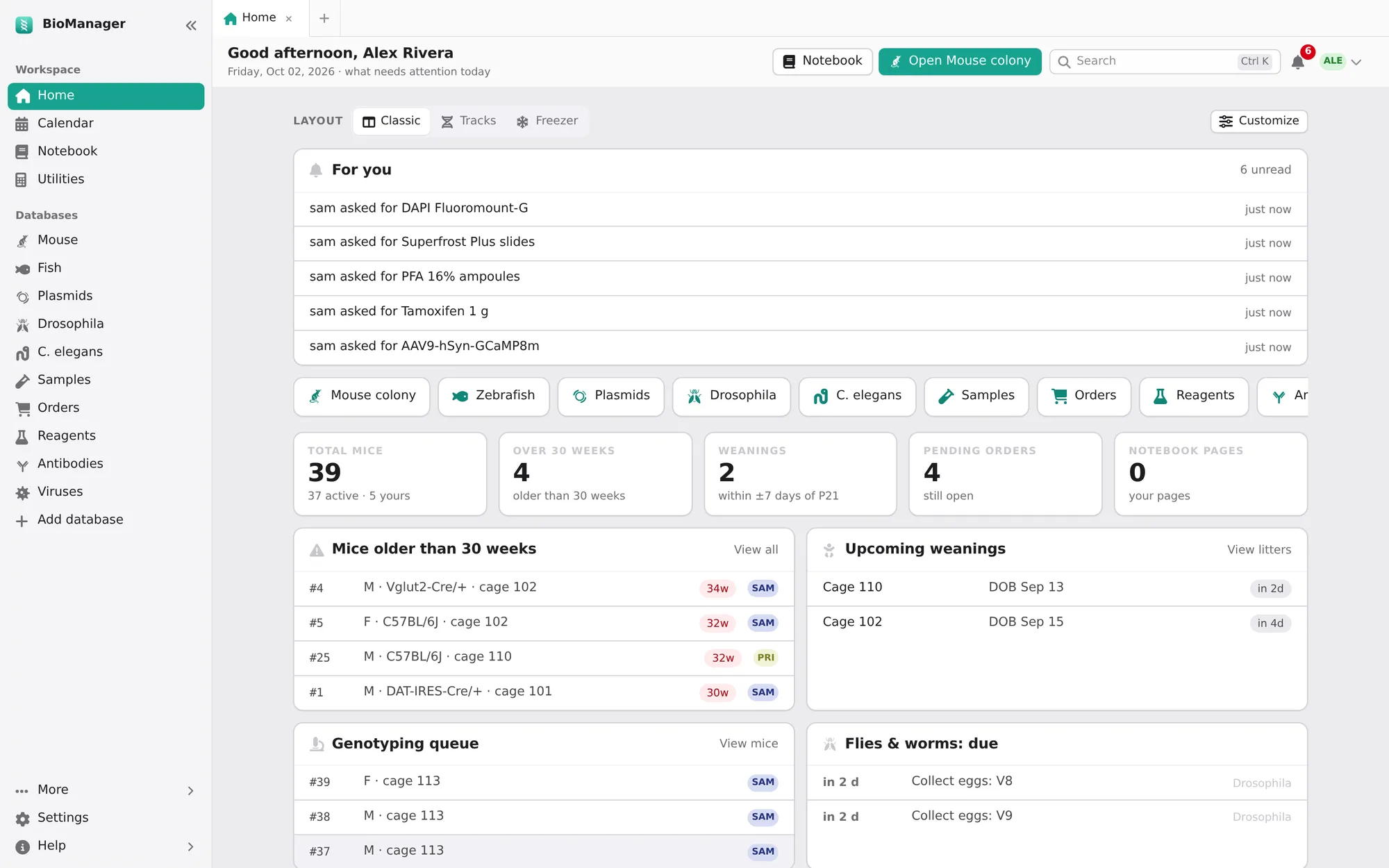
Home is where each day starts: only what needs attention, from every database you can see. Choose how it looks with the Layout chips at the top (or in Settings → Home layout); the choice is yours alone.
- Classic
- Cards: your databases as tiles, a few numbers (total mice, mice over 30 weeks, weanings, pending orders, notebook pages) and cards for Mice older than 30 weeks, Upcoming weanings, the Genotyping queue, Flies & worms: due, Animal databases: due, Expiring & low stock, zebrafish mating tanks to return, the Next 14 days and Recent orders.
- Tracks
- Every dated job on one ruler of days, one track per kind of work, coloured overdue, today, within 3 days or scheduled. Choose 1, 2 or 4 weeks. Needs you now and Busy days sit beside it. On a phone it becomes a list of days.
- Freezer
- Your racks seen from above, lit where something is due, with a Pull list of the next three days' jobs in walking order, to take into the room. A cage's cap colour shows its owner.
Customize, beside the layout chips, arranges Classic your way: tick the cards you want, drag them (or use the arrows; the double arrow sends a card to the top) into your order, and make any of them wide. Four cards start switched off and are there to add: Your to-dos (due this week or undated), Bookings (instruments booked in the next week), Recent pages of your notebook, and Calculators (the ones you opened last, then the usual ones). Back to the usual puts everything back, after asking. Like the layout, it is yours alone.
On every layout:
- For you
- Your unread notifications.
- Getting started
- While you're new, your first steps, each ticked off when it's done. An admin's list sets the lab up — add a rack, bring in your mice, print cage cards, set up your fly database, invite the lab. A member's is their own — find your mice, scan a cage card, request an order, add a plasmid, read this guide. Hide this list puts it away.
- Upcoming weanings
- The same list the calendar shows; each row opens its cage.