 BioManager
Your databases
Mouse colony
Mice, cages, litters and breeders, from birth to weaning: racks laid out like yours, and genotyping and weaning dates worked out for you.
Tabs across the top: Mice, Cages, Litters, Breeders, Experiments, Strains and Dropdowns. The My colony / My groups / Shared / Everyone switch changes what you see, never what you may edit: My colony is yours plus the shared cages you work in, My groups your project groups', Shared just the shared cages, Everyone every cage. In the Cages tab, a chip for each purpose (Experiments, Breeder…) shows only those cages.
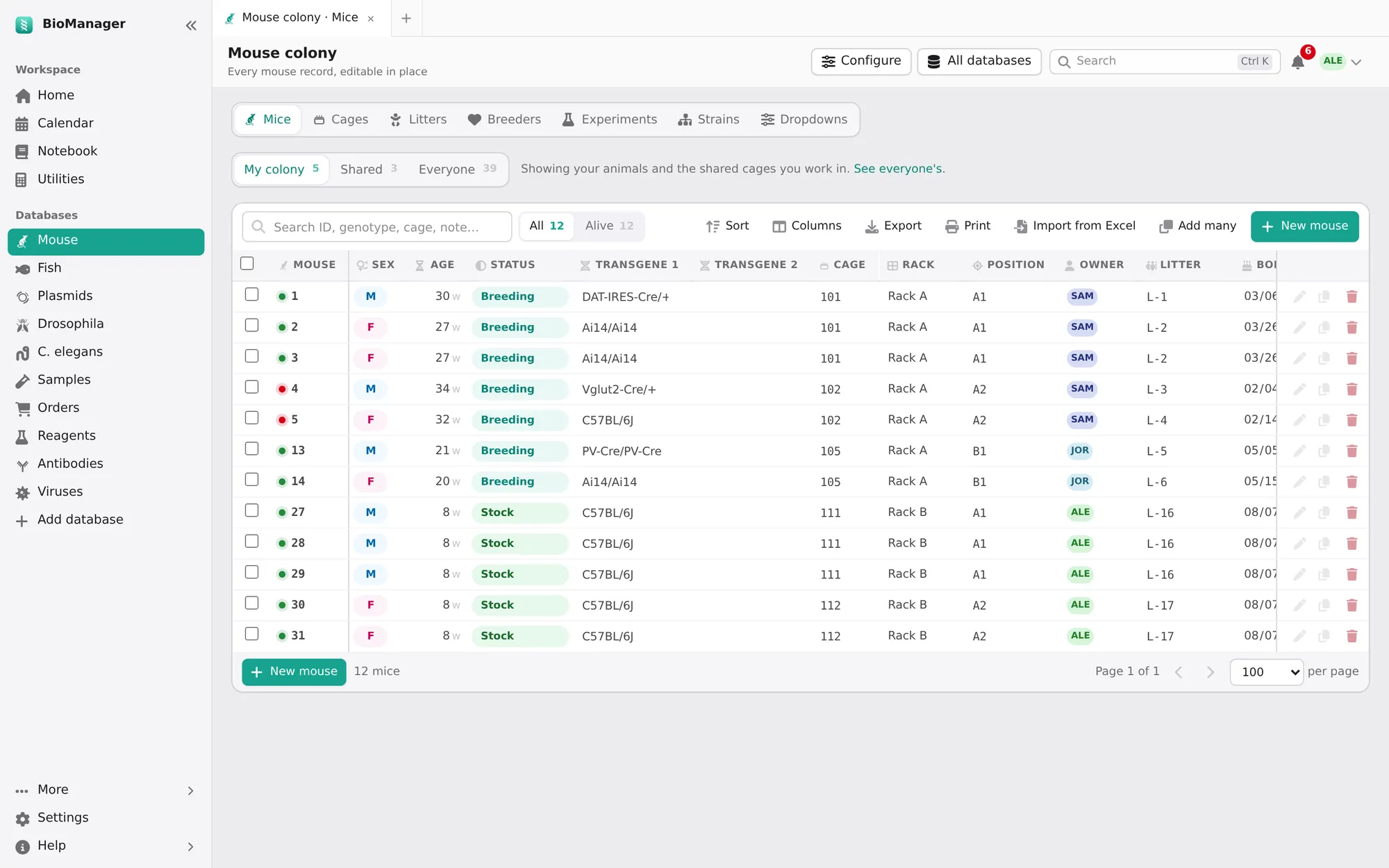
Racks and cages
Cages → Rack grid → New rack: rows, columns and how positions are labelled — D7, 4-7,
7D or 1 to 80, like the stickers on your real racks. Cages without a position wait in Unplaced; drag them
on. Each cage has a purpose (breeding, stock, experiments), an owner, a room and its mice. Select cages to set purpose or owner,
move them, or Retire them.
The cages show three ways. Table: one row per cage, each with its mice beneath it (edit them in place) and its actions; Litter born and Wean due come right after the mice, so when to wean is in view. Type over a cage's number to renumber it (its mice go with it; a number another cage has is refused). Close all folds every cage to its row (the page remembers), and Open all opens them again; the arrow at the start of a row or its mice count opens or closes one. Cards: a card for each cage — where it is, its purpose, owner, strain and when to wean, its mice and the same actions — with its own search and Active, Breeding, Mine filters. Rack grid: the racks from the front. The page remembers the one you used last.
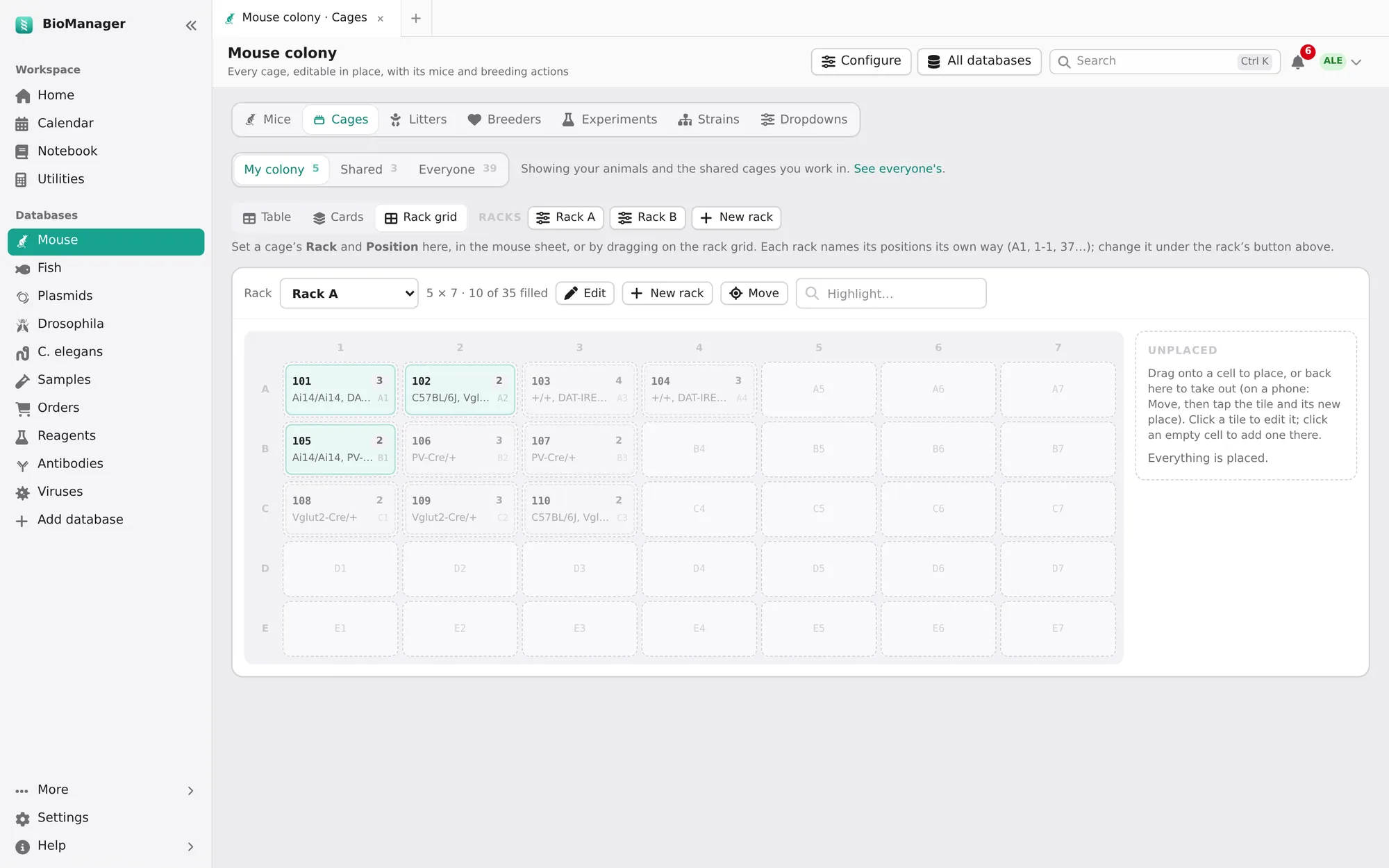
Mice
- New mouse for one, Add many for a new group (or a CSV made from its Download a template), and
Import from Excel for the sheet you already keep (how). In Add many, type
newas the cage to put a group in one new cage; with females and males, each sex gets its own new cage unless you tick Keep both sexes in one new cage. In the preview,new-2,new-3… are further new cages, and a new cage that would hold both sexes is pointed out. - Each mouse has sex, date of birth (age shown in weeks), status — breeder, experiment, geno, transfer, sac — up to four transgenes, a genotype, cage, litter, owner and notes. A date of birth can't be in the future.
- Select mice to set a field (owner, status, transgenes, cage, note, date of death), Add to experiment, or Sac. Setting sac or a date of death ends the record; it stays in the history.
Breeding: from litter to weaning
On the Cages tab, open a breeding cage (its arrow or mice count) or find its card under Cards: Litter born, Genotyping and Wean are there, on cages whose purpose is Breeder or Breeding. Create litter numbers each litter L-1, L-2, L-3… (type your own ID instead if you like).
- Litter born asks for the date of birth (today unless you change it; a date in the future is refused) and records the birth. BioManager works out weaning (P21) and genotyping (P28, or the day chosen in Lab setup), which appear on Home and the calendar when due — the same list in both. A cage holds one litter date, so a new litter replaces the last: if those pups are still in the cage, wean them first.
- Genotyping asks for the father, mother and number of pups; Create litter makes the litter and a mouse for each pup, set to geno. They wait in the genotyping queue on Home until you change their Status from geno; entering a genotype alone doesn't take them off it.
- Wean opens Wean and distribute pups, already filled with the cage's pups, females and males on separate rows: Wean and move sends each row to a new or existing cage, or Mark weaned, move pups later. Either way the litter is marked weaned and leaves Home and the calendar. Pups younger than P18 are weaned only after you confirm.
Breeders lists breeding cages — rack and position, how many of each sex — with their productivity, and flags breeders past 30 weeks. Pick takes a breeder as yours; its owner is notified.
Experiments, strains, dropdowns
- Experiments group mice into a cohort with treatment groups, what is done to them day by day and their body weights: see Experiments, for every animal. (The notebook's experiments are the write-ups; these are the animals.)
- Strains is the lab's reference list of lines and alleles.
- Dropdowns keeps the choices each column offers, so the lab uses the same words. Everyone sees them; only admins change them.