 BioManager
How to…
Invite someone to the lab
Bring a new member onto your lab server: they make their own account, and an admin lets them in.
AdminsLab server
- Send them your lab server's address.
- They open it, press Ask to join and fill it in. Every admin is told at once, and their page changes as soon as one approves them; they can't sign in before that.If the server offers it, they can also sign in with Google or Microsoft, or with the institution's own account, and connect it in Settings → Profile, under Sign in with another account.
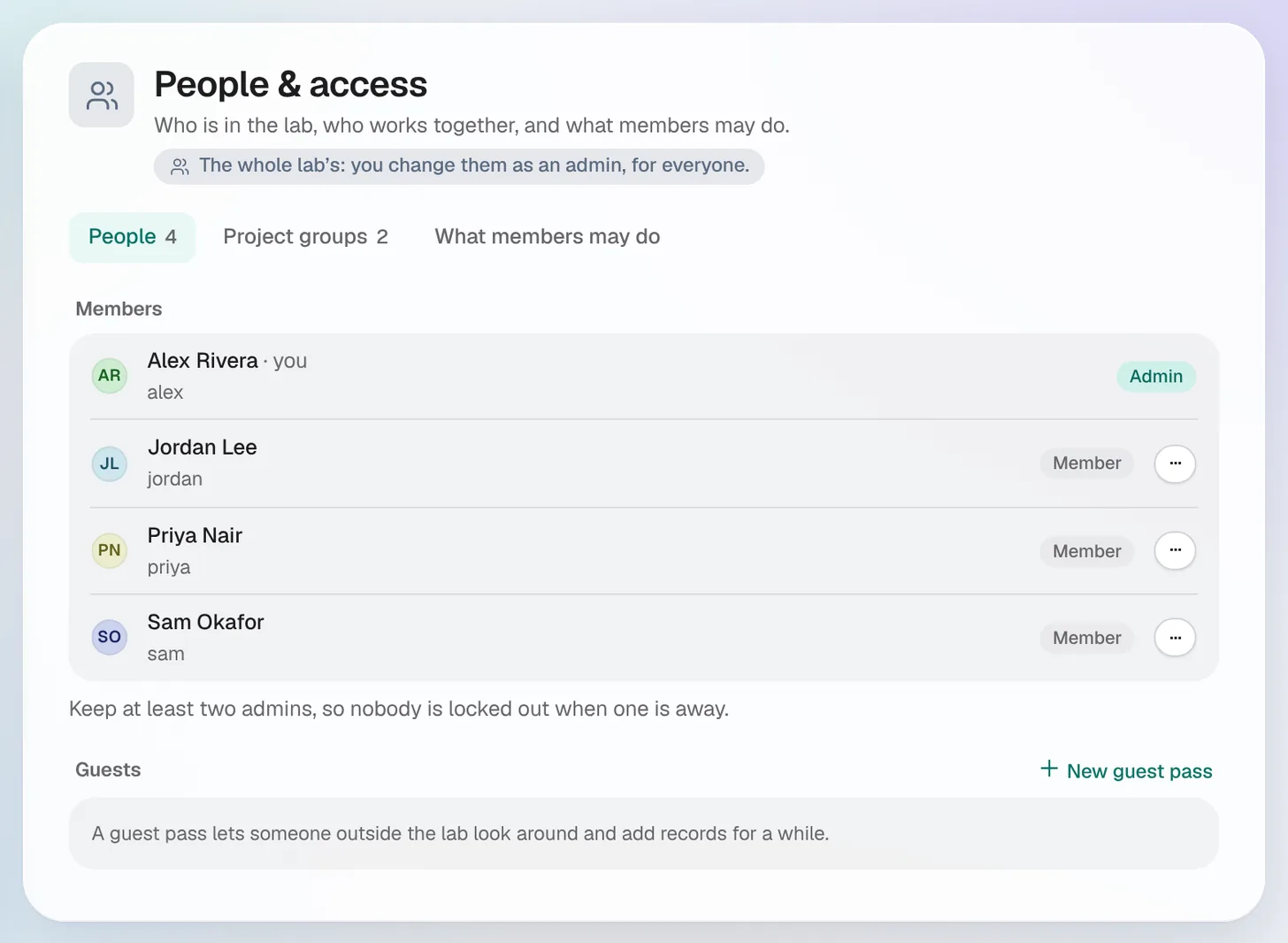
- Admins are notified of the sign-up. Open Settings → People & access: they wait under Waiting to join.
- Press Approve beside them, and confirm.
- For more than a member's rights, press ··· beside them under Members, choose their role — Member, Animal care, Facility manager or Admin — and press Set role.
They sign in with their own account and work as a member: they edit what they own and what is shared, and see the lab's databases. To share work with a few of them, put them in a project group.
Someone from outside the lab?Give them a guest pass for a day to a month: New guest pass under Guests in Settings → People & access, who
it's for and how long, Make a code. They open the link, enter the code, and work as a member with their own account until
the pass ends or you press End now.
Troubleshooting
They forgot their password
An admin resets it from the ··· beside them in Settings → People & access.
Was this page helpful?
No