 BioManager
Your databases
Any other organism
A database for any other organism, described in your own words.
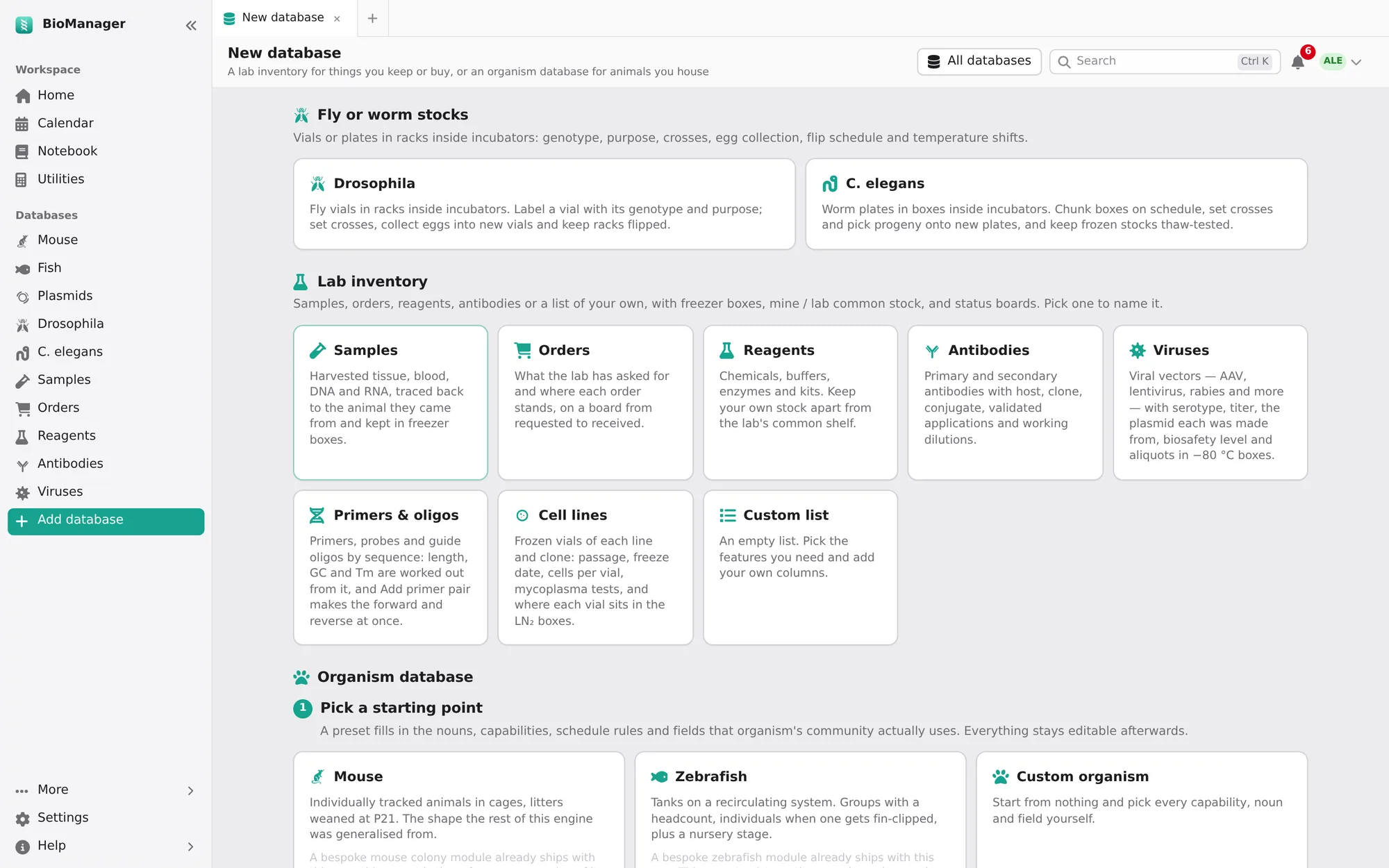
Add database in the sidebar builds a database for anything else — Xenopus, axolotls, cell lines, yeast. Start from a mouse-like, zebrafish-like or blank organism and describe it. Plants have starting points of their own, Plants and Field crops, with seed lots: see Plants and field crops.
However many you end up with, the sidebar lists them in the order they were added, which is rarely the order you work in. An admin drags them into place right in the sidebar, on any page: hold a database's name, move it up or down, and let go; the new order is saved at once. All databases → Order in the sidebar does the same as a list, with a grip to drag or arrows, then Save the order. Put the ones you open every day at the top; a database you add later joins the end rather than pushing into the middle of your arrangement. An admin arranges it, and it is the lab's order, the same for everyone.
- Name and vocabulary — what to call an animal, its housing (tank, cage, plate), a line, a birth cohort and a breeding event, and whether age is shown in days, weeks, days post-fertilisation, generations or passages (then Age shows the record's own Passage or Generation column, P12). The whole interface then speaks your words.
- How animals are counted — individuals, groups with a headcount, or groups with individuals when needed.
- What it does — tick what you need: housing and rack positions, lines, crosses and cohorts, pedigree, genotyping, schedules worked out from dates, environment readings, health, weights, a cull log, cryo stocks, seed lots and more. Each has a one-line hint on the page. On the Schedule, Done takes the day it was really done; each rule counts from its own last Done, so feeding every two days doesn't restart a split due every four.
- Your own columns — text, long text, a genotype code, number, date, a choice, yes/no, a lab member, a link to a line, a plasmid from the Plasmids database, or a web link. They are edited in the sheet like the others, and Set field sets one on every ticked row.
- Its own words — under Configure, what its two dates are called (Start date is called: Hatched, Sown; End date is called), the Stages a cohort goes through, and the Kinds of place its racks and rooms can be. Leave Sexes empty and the Sex column goes. Young until and Old after (days) colour the dot before an ID: blue while young, green, then red.
- Who it is for — Just me (a personal database only you and admins see) or The whole lab.
The mouse colony, zebrafish and plasmids take columns of your own too. Open the database, press Configure, and under Your own columns add what it doesn't keep yet — an organ weight as a number, a perfusion as a choice of yes / no, a date, a lab member, a link. Each one appears in that database's sheet and in each record, edited in place like any other cell, and comes along in Export my data. Untick In table for something you want on the record but not as a column. The arrows beside each (Move up, Move down) set the order its columns take in the sheet for the whole lab; anyone can still drag the columns of their own sheet into another order. Taking a column away hides it and keeps what your records hold in it, so putting it back shows the values again. Only an admin changes them, because they are the lab's columns, the same for everyone.
A column of your own works like the ones that come with the database: tick rows and Set field sets it on all of them at once, Import from Excel matches a spreadsheet column to it by name, and search finds a record by what it holds — type the ear-punch code or the batch number into the search box and the records with it come up.
Change any of it later under the database's Configure, without losing records. The same page offers inventories (samples, orders, reagents, chemicals, antibodies, viruses, primers & oligos, glycerol stocks, cell lines, a custom list) and fly or worm stock databases. An icon is picked from a grid of the icons themselves; hover over one for its name.
Its Experiments tab works as the mouse colony's does, for your animals, groups and cohorts, and can start with a housing's animals: see Experiments.
Troubleshooting
A colleague's database isn't in my sidebar
It may be their personal one (Just you on its tile), which only they and admins see, or an admin may have switched it off.